
Public WiFi Security Guide: Is It Safe to Use Public WiFi?
Is It Safe to Use Public WiFi?
Public WiFi is useful when you are outside your home and need internet access quickly. You can find it in airports, railway stations, cafes, hotels, shopping malls, libraries, and many other public places. It helps users browse the internet without using mobile data. But the main question is whether public WiFi is safe to use or not.
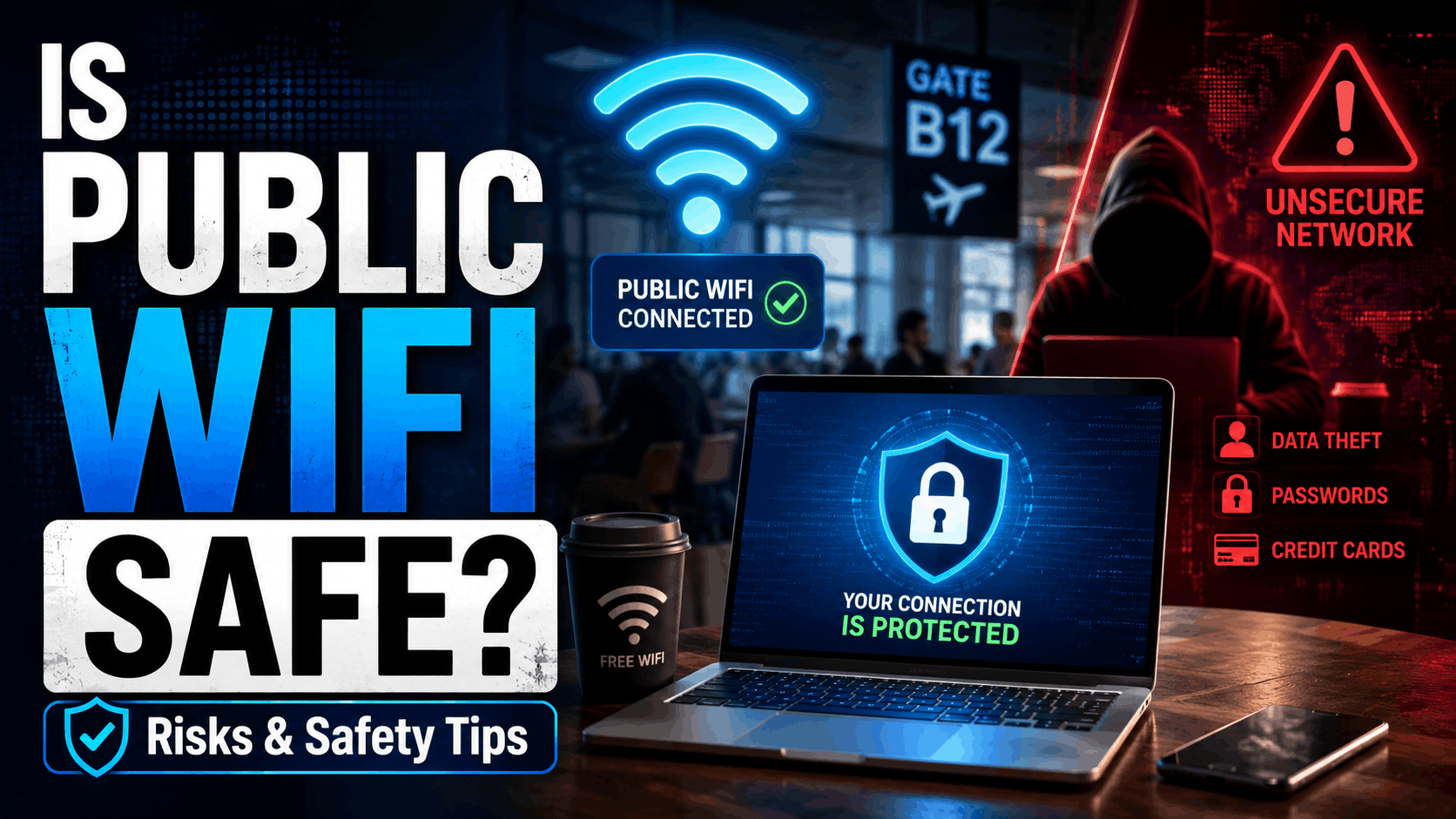
The simple answer is that public WiFi is not always safe. Since many unknown people connect to the same network, there is a higher chance of security risks. Hackers can create fake WiFi networks, track unsecured browsing activity, or try to steal personal information. If you use public WiFi for online banking, UPI payments, email login, or entering passwords, your private data may be at risk.
However, public WiFi can be used safely for basic activities like reading news, checking maps, watching videos, or searching general information. To stay safe, always use HTTPS websites, avoid financial transactions, turn off auto-connect, and use a trusted VPN when possible.
So, public WiFi is convenient, but it should be used carefully. For sensitive work, mobile data or a trusted private network is always a safer option.
Main Risks of Using Public WiFi
Public WiFi may look convenient, but it comes with several security risks. The biggest risk is data theft. Since public WiFi networks are shared by many unknown users, hackers may try to monitor unsecured internet activity and steal personal information such as passwords, emails, or login details.
Another common risk is fake WiFi networks. Hackers can create a network with a trusted-looking name like “Free Airport WiFi” or “Cafe WiFi.” When users connect to it, their data can become exposed. Public WiFi can also increase the risk of malware attacks if users click on unsafe links or download unknown files while connected to the network.
Financial activities are also risky on public WiFi. Using net banking, UPI, credit cards, or payment apps on an unsecured network can put your money and account details at risk. In some cases, hackers may also try session hijacking, where they misuse an active login session.
Because of these risks, public WiFi should be used carefully. It is better for basic browsing only, not for sensitive tasks like banking, shopping payments, or accessing important accounts.
Real-Life Examples of Public WiFi Risks
Public WiFi risks become easier to understand with real-life situations. Imagine a person sitting at an airport and connecting to a WiFi network named “Free Airport WiFi.” The name looks trusted, but it may be a fake network created by a hacker. If the person logs in to email or enters personal details, that information can be exposed.
Another example is a cafe customer using free WiFi to make an online payment. If the network is not secure, hackers may try to track unsecured activity or redirect the user to a fake payment page. This can put banking or card details at risk.
A student using public WiFi in a library may download a file from an unknown website. That file could contain malware and harm the device. Similarly, someone checking office emails on hotel WiFi may risk exposing work-related information if proper security is not used.
These examples show that public WiFi is not always dangerous, but careless use can create serious problems. It is best to avoid sensitive work and use public WiFi only for basic browsing.
What Should You Not Do on Public WiFi?
Public WiFi should be used very carefully because it is a shared network. Many unknown people may be connected to the same WiFi, so you should avoid doing sensitive activities on it. The first thing you should not do is online banking. Do not open net banking, UPI apps, wallet apps, or credit card payment pages while using public WiFi. Financial information can be risky on unsecured networks.
You should also avoid entering passwords on important accounts such as email, social media, business dashboards, or cloud storage. If the network is unsafe, your login details may be exposed. Do not change passwords or update recovery information while connected to public WiFi.
Another important thing is to avoid downloading unknown files, apps, or software. These files may contain malware or viruses. You should also not click on suspicious popups, ads, or links that appear while browsing.
Avoid using auto-connect for public networks because your device may connect to unsafe WiFi without asking. Also, do not keep file sharing or nearby sharing turned on. In simple words, public WiFi is okay for basic browsing, but not for private, financial, or important work.
How to Use Public WiFi Safely?
Public WiFi can be useful, but you should always use it with safety precautions. The first step is to connect only to trusted networks. Before joining any public WiFi, check the correct network name with the cafe, hotel, airport, or place where you are using it. Avoid connecting to random WiFi networks with names like “Free Internet” or “Open WiFi.”
Always use websites that start with HTTPS. The lock icon in the browser shows that the connection is more secure. If a website does not have HTTPS, avoid entering any personal information on it. For extra safety, use a trusted VPN because it helps encrypt your internet traffic on public networks.
Do not use public WiFi for online banking, UPI payments, credit card details, or important account logins. For such sensitive work, mobile data is a better option. Also, turn off auto-connect so your phone or laptop does not join unknown networks automatically.
Keep your device updated, enable firewall or security protection, and avoid downloading unknown files. After using public WiFi, forget the network from your device settings. These simple steps can reduce risks and help you use public WiFi more safely.
Safety Tips for Mobile Users
Mobile users should be extra careful while using public WiFi because phones are used for many sensitive activities like banking, UPI payments, email, social media, and personal chats. The first safety tip is to turn off auto-connect. If auto-connect is enabled, your phone may join an unknown or unsafe WiFi network without your permission.
Before connecting to public WiFi, always confirm the correct network name from the place where you are using it, such as a cafe, hotel, airport, or library. Avoid connecting to random open networks with names like “Free WiFi” or “Public Internet.” These networks may not be trusted.
Do not open banking apps, UPI apps, wallet apps, or payment pages on public WiFi. For financial work, mobile data is a safer option. Also, avoid downloading unknown APK files, apps, or attachments while connected to public WiFi because they may contain malware.
Keep your phone updated and use built-in security features like Google Play Protect or iPhone security updates. A trusted VPN can also help protect your browsing activity. After using public WiFi, remove or forget the network from your phone settings. These small steps can help mobile users stay safer online.
Safety Tips for Laptop Users
Using public WiFi on a laptop requires extra caution because laptops often store important files, work documents, passwords, and personal information. Before connecting to any public network, make sure you are joining the official WiFi provided by the airport, hotel, cafe, or other public place. Avoid connecting to unknown networks with similar names, as they could be fake.
Always keep your laptop’s firewall enabled and install the latest operating system and security updates. These updates fix known vulnerabilities and help protect your device from online threats. If possible, use a trusted VPN to encrypt your internet connection, especially when working on public networks.
Avoid accessing online banking, business dashboards, cloud storage, or confidential work accounts while connected to public WiFi. If you must log in to an important account, use your mobile hotspot instead. Also, turn off file sharing, printer sharing, and network discovery to prevent other users on the same network from accessing your device.
Never download unknown software or click on suspicious links while using public WiFi. Once you finish using the network, disconnect and remove it from your saved WiFi list. Following these simple precautions can greatly reduce security risks and keep your laptop and personal data protected.
When Can You Use Public WiFi?
Public WiFi can be used when you only need the internet for basic and non-sensitive activities. It is useful in places like airports, railway stations, cafes, hotels, malls, and libraries, especially when mobile data is slow or unavailable. If you use it carefully, public WiFi can be convenient for simple online tasks.
You can use public WiFi to read news, check weather updates, search general information, watch videos, use maps, or browse educational websites. It is also okay for reading blogs, checking public websites, or downloading non-sensitive documents from trusted sources. These activities usually do not require you to enter private information like passwords, banking details, or personal documents.
However, even for basic browsing, you should stay alert. Always check that the website uses HTTPS and avoid clicking on suspicious links, popups, or unknown downloads. If the WiFi network looks fake or has a strange name, do not connect to it.
In simple words, public WiFi is best for normal browsing and general internet use. For banking, payments, account login, or private work, it is better to use mobile data or a trusted private network.
When Should You Avoid Public WiFi?
You should avoid public WiFi whenever you need to do private, financial, or important online work. Public WiFi networks are shared by many unknown users, so they are not the best choice for sensitive activities. If the network is unsecured or fake, your personal information may be at risk.
Avoid using public WiFi for online banking, UPI payments, wallet transactions, credit card payments, or shopping checkout pages. Financial details should always be entered on a trusted and secure network. It is better to use mobile data for these activities.
You should also avoid logging in to important accounts such as email, social media, cloud storage, business dashboards, admin panels, or work accounts. If someone is monitoring an unsafe network, your login details or session information may be exposed.
Public WiFi should also be avoided when uploading personal documents, changing passwords, entering Aadhaar or PAN details, or downloading unknown files. These actions can put your privacy and device security at risk.
In simple words, public WiFi is fine for basic browsing, but it should be avoided for anything related to money, passwords, personal documents, or confidential information.
| Myth | Fact |
|---|---|
| Password-protected public WiFi is always safe. | A password does not make public WiFi fully safe. If many people know the same password, the network is still shared and can be risky. |
| Only laptops can be hacked on public WiFi. | Mobile phones, tablets, and laptops can all be targeted if they are connected to an unsafe network. |
| VPN makes everything 100% safe. | A VPN helps protect your connection, but it cannot protect you from fake websites, phishing links, or unsafe downloads. |
| Public WiFi is safe if the signal is strong. | Signal strength has nothing to do with security. A fake or unsafe WiFi network can also have a strong signal. |
| HTTPS means there is no risk at all. | HTTPS is safer than HTTP, but users should still avoid suspicious links, phishing pages, and fake websites. |
Disclaimer
This article is for general information and awareness purposes only. Public WiFi safety depends on the network, device settings, and user behavior. We do not guarantee complete protection from hacking, phishing, malware, or data theft. Avoid using public WiFi for banking, payments, passwords, or sensitive personal work. Always use your own judgment and follow safe browsing practices.